Now and then I like to sport a completely stripped down Safari, hiding the toolbar and everything else:
Look at that! Just the content. Just me and my one million tabs. Only problem: when I make a new tab, the address bar isn’t focused as it is, when the toolbar is visible. So you need to press cmd + l yourself like an animal.
So we make a start-page for new tabs. But there’s no api for focusing the browser chrome. But there is AppleScript (there’s always AppleScript).
We’ll just make a tiny server that serves a page with one button that it clicks itself. And then make that button call some Applescript. That’s definately not an insane solution to a very serious problem.
My browser windows are seldomly as wide as Github’s layout. This works great for most of the websites that I visit - yay responsive - but Github’s layout is still too wiiiiiiide.
Taking matters into my own hands I opened up Web Inspector and found out that you can make it (naively) responsive with relatively few lines of css:
I’m really digging dokku-alt. Dokku is a simple way of setting up a deployment setup as easy as Heroku’s. Dokku-alt is that plus some bundled plugins.
I had some troubles though with the Postgresql databases being created with ASCII encodings. So before you install and setup dokku get your locales in order - make your /etc/locales look like:
Dr. Drang posted a lengthy article and script to open a given photo’s EXIF GPS location in Apple Maps. He’s using python and a library called “PIL”. I liked the idea but couldn’t, no matter what I tried, get the damn thing to install and what is python anyway? I like ruby! I’m sure there’s an easier way?
Turns out there was.
The rubygem exifr reads EXIF data like a champ, so let’s get it:
$ sudo /usr/bin/gem install exifr
I’m using the absolute path to gem, because we want to end up using this as a system service, and system services use system ruby.
Now, here’s the script. Save it as something like ~/bin/map.rb:
#!/usr/bin/env rubybeginrequire'exifr'rescueLoadErrorrequire'rubygems'require'exifr'end
usage = <<-USAGE
usage: map.rb IMAGE_PATH
USAGE
path = ARGV.shift
if path.nil?
puts usage
exit(0)
end
exif = EXIFR::JPEG.new(path)
if coords = exif.gps
system "open 'http://maps.apple.com/?q=#{coords.latitude},#{coords.longitude}'"else
puts "No GPS data for #{path}"end
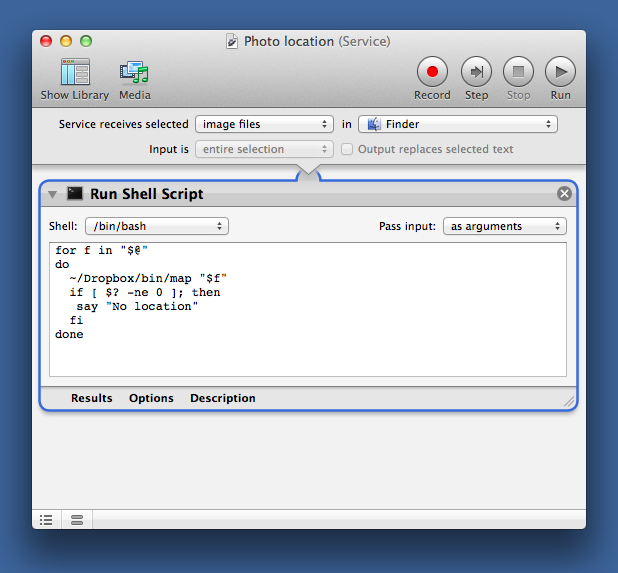
Remember to chmod +x it and call it like the Doctor does in a service like this, substituting the path to where you saved the script:
When Livereload is too much and cmd-tab’ing too little, there’s always this AppleScript.
#!/bin/sh
osascript -e 'tell application "Safari"
  set _url to URL of current tab of front window
  set URL of current tab of front window to _url
end tell'
Put it in your PATH, chmod it +x, and map it to what you like in vim:
map ,r :callsystem("update_safari.sh")
You could even auto-run it when you save the current buffer:
OS X’s open command is great and I use it many times a day. But several times I’ve stumbled through some command that outputs something only to be reminded once again that open doesn’t support piping of input. Let’s fix that.
#!/bin/sh# Put a dash at the end of open to use stdin as arguments# usage: echo "TextEdit" | open -a -for last; dotrue; doneif [ "$last" == '-' ]; then
arg=`cat`
cmd=`echo$@ | sed -e "s/-$/${arg}/"`
/usr/bin/open $cmdelse
/usr/bin/open $@fi
This add a check to open: If the last argument is a dash (-), then use STDIN as the argument to the original open.
Put it somewhere that’s in your $PATH before /usr/bin is and you’re good!
I was kind of disappointed to find out that the ruby mime-type gem just looks at the file extension instead of getting the true mime type. This can cause trouble. Say we’re having the user upload files to our webpage - but we only want .mp3s. Without checking the true mime-type the user will be let through if he just renames his file to .mp3.
If you’re lucky enough to be on Unix though, you can get the true mime type by using the shell command file.